Integrating technology to facilitate "HyFlex" learning for a mix of in-person and remote students.
Role Summary
Over the course of three academic years, I acted as project manager, designer, and technologist figuring out how to equip and then manage a classroom with the necessary technology to facilitate synchronous (live), hybrid learning for a mix of in-person and remote students. In addition to this project management role working with external stakeholders, I also regularly worked with students and faculty to better plan for and facilitate meaningful learning activities and experiences.
Designs for a subsequent fourth iteration meant to evolve the room into a showcase space, however, went on pause due to fiscal challenges posed by COVID-19. Lessons learned from this space are currently informing potential ways to modify classrooms throughout the Georgetown Campus as a means to create safe social distancing and options for remote attendance throughout campus for the Fall of 2020.
Development Summary
- Client: Learning, Design, & Technology master’s degree program at Georgetown University
- Deliverable: Iterative designs and implementation for technology running a mixed-mode classroom.
- Tools Used: Canva, SketchUp, Zoom Rooms, various iterations of microphones, cameras, and touch-screen displays.
- Time in Development: New iterations tested and then implemented each fall semester over the course of three years.
Background
The Learning, Design, & Technology program at Georgetown University facilitates classes that accommodate a mix of in-person and remote learners during the same class sessions. On any given day, there are a mix of students either in the classroom, or else attending remotely via web-conference.
Early iterations of this process relied on external hardware that plugged in via USB that plugged in to a computer, followed by the testing of various touch-screen displays. Each of these solutions posed a usability challenge for faculty who needed to be able to prepare to teach quickly, and for students needing to collaborate actively
Design Challenge
We needed a way to improve to a “turnkey” level of simplicity for faculty to set up their classrooms, and to improve the student experience for flexible interaction between in-person and remote learners.
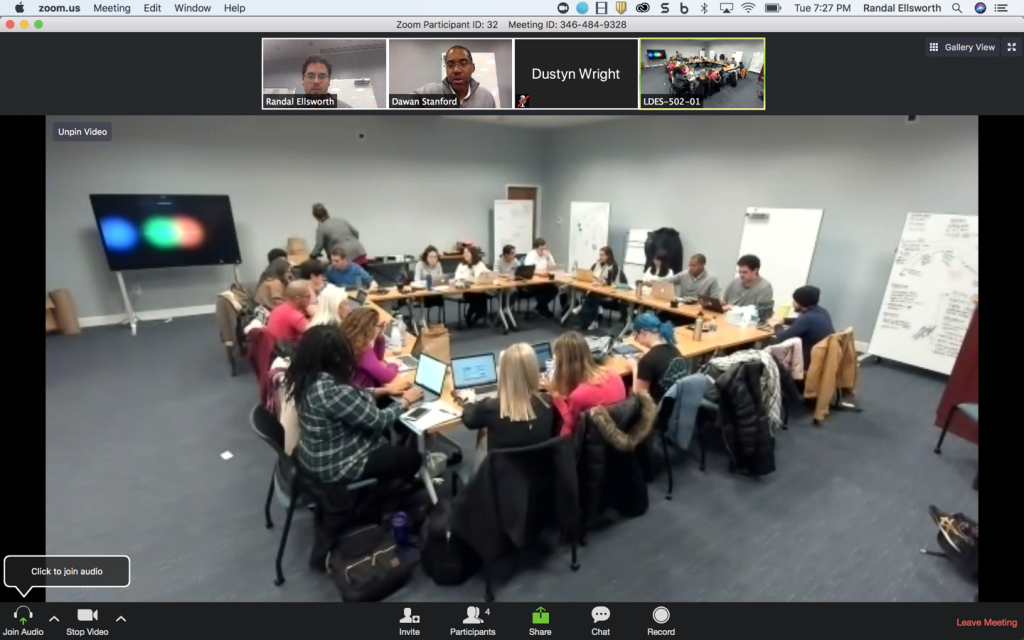
Screenshot taken from an early iteration of the remote learner perspective in 315. Students interact with remote learners either through their laptops, or else through a large touchscreen display running the “Zoom Rooms” client.
Process
My involvement with the integration of web conferencing technology in CBN 315 evolved organically and out of necessity, beginning with my time only related as a student for the in the fall of 2017, and then subsequently as a full-time technologist and designer beginning in the spring of 2018 on through the spring of 2020.
1st Iteration - Fall 2017 - USB Hardware and a Laptop
As a student in the LDT master’s program, my first experiences participating in a “HyFlex” classroom consisted of plugging in a 360 degree USB camera into a laptop, and displaying the screen of that laptop on a projector on the wall.
These early experiences were exciting to participate in, however, were finicky and capturing audio in the room was a constant challenge. This format worked for engaging the whole class in broader discussion with remote participants, but not much else and not with consistent audio quality due to the room’s HVAC noises and large size.
For the record, we love these devices and I would still heartily recommend using them for class sizes (or working groups) of fewer than 10-12, and within a closer proximity than the use case of our large classroom.
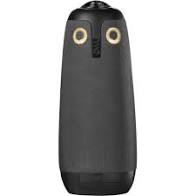
(Image via owllabs.com)
2nd Iteration - Fall 2018 - Zoom Rooms Display
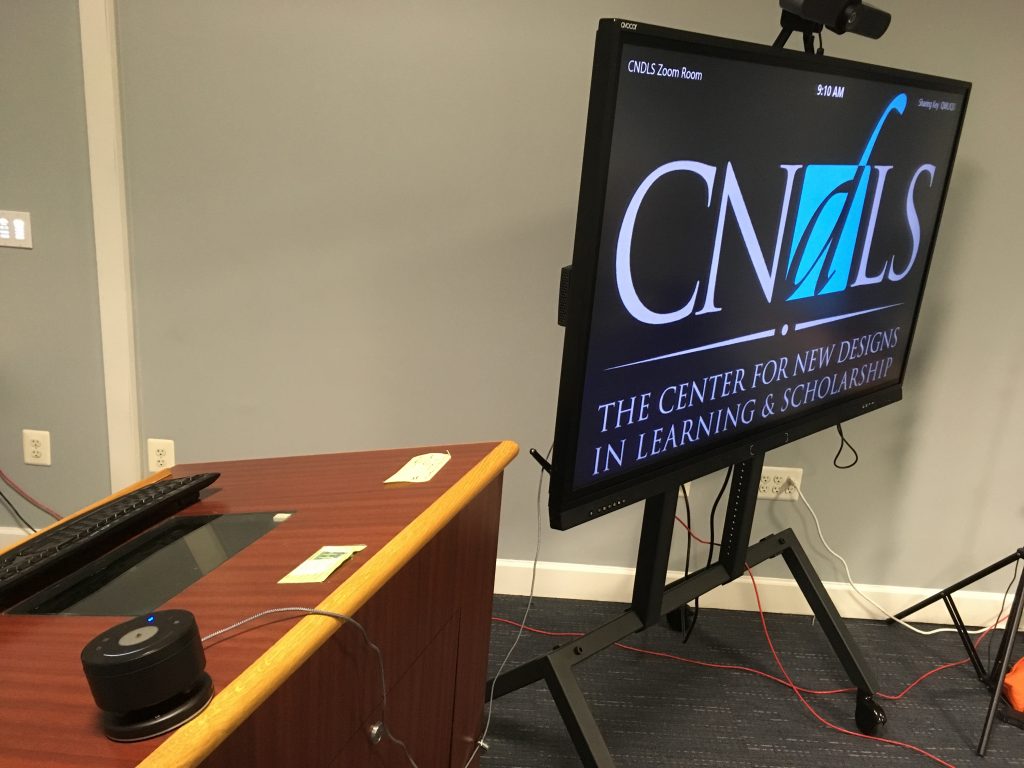
By 2018, I had been hired on full-time as an Instructional Technologist. In that role, I was tasked with iterating on this experience. Having previously experimented with the Google Jamboard and the Cisco Webex Board with mixed results, I pushed a hardware solution that would emplo0y the software that our faculty, staff and students were already used to – Zoom. With that in mind, I assembled a touch screen display mounted on a mobile base, with a Logitech Camera mounted on top and connected to Sennheiser desktop wireless microphones for flexible and accurate audio capture.
This iteration worked well to capture audio, and created more opportunities for collaboration via the touch screen display. Users also gravitated to using Zoom. However, these benefits were inconsistent as they were highly dependent on being left set-up “correctly”, a problem when the room is shared across multiple classes in the evenings and for multiple uses by staff during the day. Faculty and staff often had to rely on either myself or another staff member/student who understood how to reset the set-up, and untangle the base from any entanglements with other hardware being used in the room.
3rd Iteration - Fall 2019 - Integrated Room Hardware
Having learned the necessity for a simpler set-up that would remain ready to initiate hybrid sessions using either the room computer or else an external laptop, we decided to invest more money into integrating cameras and microphones into the room’s infrastructure. We started having internal conversations around how to incorporate cameras and microphones, and what priorities we wanted to emphasize before initiating a more technical conversation with A/V professionals.
Early prototypes used to talk through an integrated system for in-room cameras and microphones, and to compare them to the existing method for facilitating HyFlex class sessions.
Some of the priorities that emerged
- Reliable and consistent capture for audio and video
- Simplicity for connecting to the system and initiating a hybrid session over Zoom
- Maintain flexibility for which applications to use for the cameras and microphones (Zoom, Google, Panopto, etc.)
I worked hands-on with our A/V contractors to design an interface that would make it simple to use the room for either standard or hybrid learning sessions, switch between presets and make adjustments to the cameras and microphone emphasis, etc.
This iteration ended up proving to be the most reliable means for facilitating learning sessions for larger classes and meetings. Earlier iterations (the meeting owl and the Zoom Rooms touch screen display) still find use for smaller classes or meetings with more niche/specialized learning goals and activities.
One of the students I was supervising on this project (Aaron Joya) put together this intermediate prototype of the interface based on some early sketches on a whiteboard that I had drawn with our A/V contractor.
A walkthrough tutorial for using the integrated system in the room. I worked closely with our A/V contractors to design the user flow and experience with this interface. Video produced by student Alexandra Chugunova.
Moving Forward
In the spring of 2020, we were gearing up for a larger investment meant to build upon the lessons learned over the preceding three years through both reflection on our practice and internal research conducted to better understand the learning and collaboration dynamics within the classroom.
Lessons Learned
Two major themes emerged in our formal review:
(1) Challenges and opportunities related to modes of interaction between in person and remote learners
(2) Perspectives surrounding aspects of group flow for design and facilitation.
For the first theme surrounding modes of interaction between online and in-person learners, participants generally spoke to the challenges remote learners face missing out on important formal and informal cues, as well as the opportunities to try and make up for this gap through various best practices and participation in shared online environments.
For the second theme addressing design and facilitation, faculty and staff felt that designing for hybrid sessions poses a difficult challenge without increased support and streamlined technology options. Students expressed a desire for increased intentionality on the part of the instructors when designing learning engagements in the hybrid-flex space. All parties expressed the potential for mishaps with audio and visual technologies to be disproportionately disruptive at its worst, and carefully managed at best.
Impact and Future Directions
With the onset of COVID-19, spending was put on hold for the planned improvements to this specific room (better layout with furniture, displays to replace the projector, more means to collaborate both in analog and digital environments, etc.) .
That being said, lessons learned on both the technology side and the pedagogical side are currently informing potential ways to modify classrooms throughout the Georgetown Campus as a means to create safe social distancing and options for remote attendance throughout campus for the Fall of 2020.
Recommendations were made based on an internal qualitative study deriving insights from a combination of surveys, observation, and a focus group. These recommendations were made to better think through next steps for improving the flow of collaboration and learning for students in the room, whether in the implementation of new furniture or for subsequent improvements or additions to technology in the room.
Room designs made in Sketchup used to discuss potential purchase lists for specific hardware and classroom furniture. Design goal was to improve the flexibility and flow for learning activities.
